

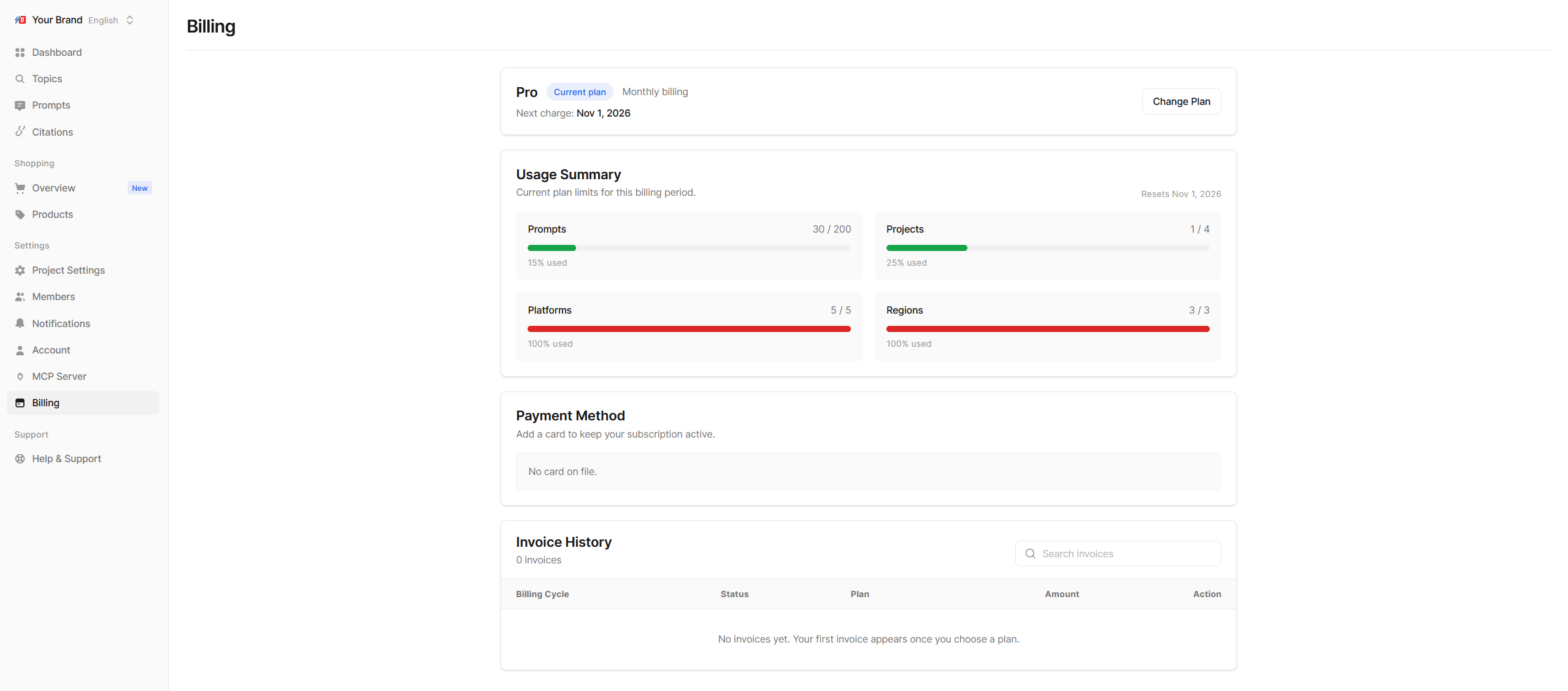
The Billing page
The plan badge in the page header also shows your status at a glance, for example the days left in your trial or a failed payment.
Choose or change a plan
- Click Change Plan (or Choose a Plan during a trial).
- Switch between Monthly and Annual billing at the top. Annual saves about 20%.
- Click Upgrade, Downgrade or Get Started on the plan you want.
- Review the confirmation page, which shows any proration or credit, the amount due today and your next billing date, then confirm. If a card is needed, you are taken to a secure checkout page.
Upgrades
Upgrades take effect immediately. You pay the prorated difference for the rest of the current billing period, and the new limits apply right away.Downgrades
Downgrades take effect at the end of your current billing period. Nothing is deleted: whatever fits the smaller plan keeps being crawled, and the rest is kept but no longer crawled. See Plan limits and coverage to decide what to keep covered.Update payment details and billing information
Click Manage Billing to open the secure billing portal, where you can change your card and billing details. If a payment fails, Echod shows “We could not charge your card.” with an Update Payment Method button. Update the card to avoid losing access.Cancel your subscription
- Click Cancel Subscription.
- Confirm in the dialog, or click Keep Plan to back out.