

New accounts start on a free 7-day trial of the Starter plan. No credit card is needed. The wizard shows how many trial days you have left at the top of each step.
Before you start
Have these ready:- Your website address
- A rough idea of the subjects your buyers ask AI assistants about
- The two or three competitors you lose deals to most often
Walk through the wizard
1
Brand profile
Enter your website URL. Echod researches your brand on the web and fills in the Brand name, Description, Industry, Content language and Brand identity fields for you.Check the content language carefully. Topics and prompts are generated in this language, and it cannot be changed after the project is created. If your buyers search in a different language from the one your website is written in, pick theirs.If Echod cannot research your brand, the fields stay empty and you fill them in by hand.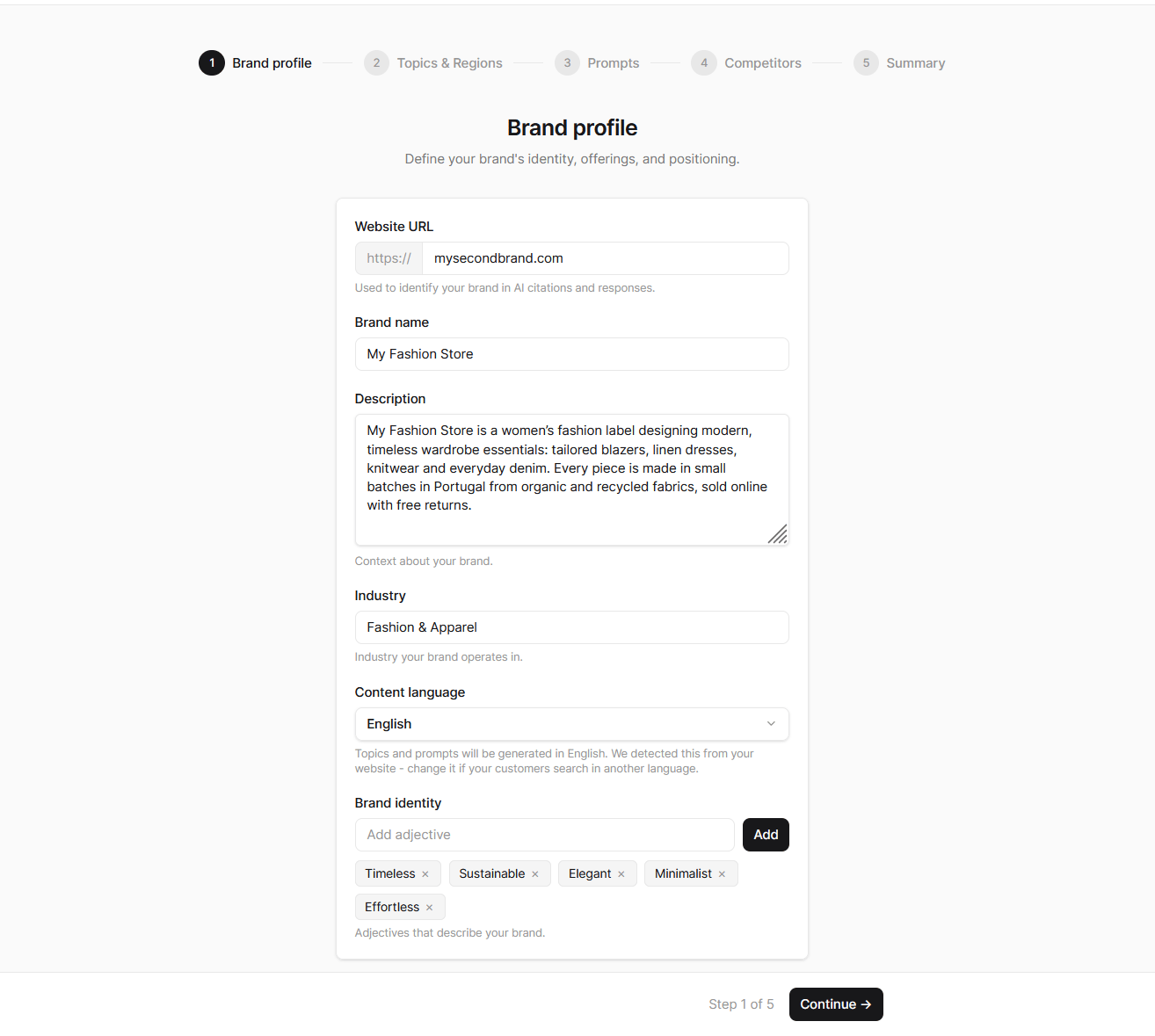
2
Topics & Regions
Echod suggests eight topics based on your brand profile. Keep the ones that match how your buyers think, delete the rest, and use AI Suggest for more ideas. You can add more topics after setup on the Topics page.On the same step:
- Regions to track: pick the countries whose answers you care about. Every topic is tracked in every region you select.
- AI Platforms to track: turn on the platforms you want to measure. Your plan sets how many you can enable.
- Crawl schedule: how often Echod collects fresh answers. Every current plan crawls daily, once every 24 hours.
3
Prompts
For each topic, Echod writes five prompts - the questions a buyer would type into an AI assistant. Edit them, remove weak ones, or add your own. Each prompt can be up to 500 characters.The Tracked prompts meter shows how many prompts you are using against your plan’s allowance. If you go over, Continue is disabled until you delete enough prompts to fit.See Prompts for tips on writing prompts that produce useful data.
4
Competitors
Echod suggests up to eight competitors by domain. Remove any that are not real alternatives and add missing ones by domain. You can track up to 20.Brands you do not add here are still detected automatically in AI answers. See Competitors.
5
Summary
Review the totals for prompts, AI platforms and regions, then click Start tracking. Echod creates the project and starts the first crawl straight away.
While the first crawl runs
The dashboard shows a progress card while answers are collected, for example “34 of 90 answers collected”. A first crawl usually takes a few minutes, depending on how many prompts, platforms and regions you selected. Until the first results are published, only the Dashboard, Billing and Help & Support pages are available in the sidebar. Everything else unlocks when the data is ready. If you turned on the Crawl activity email, Echod lets you know when the dashboard is ready.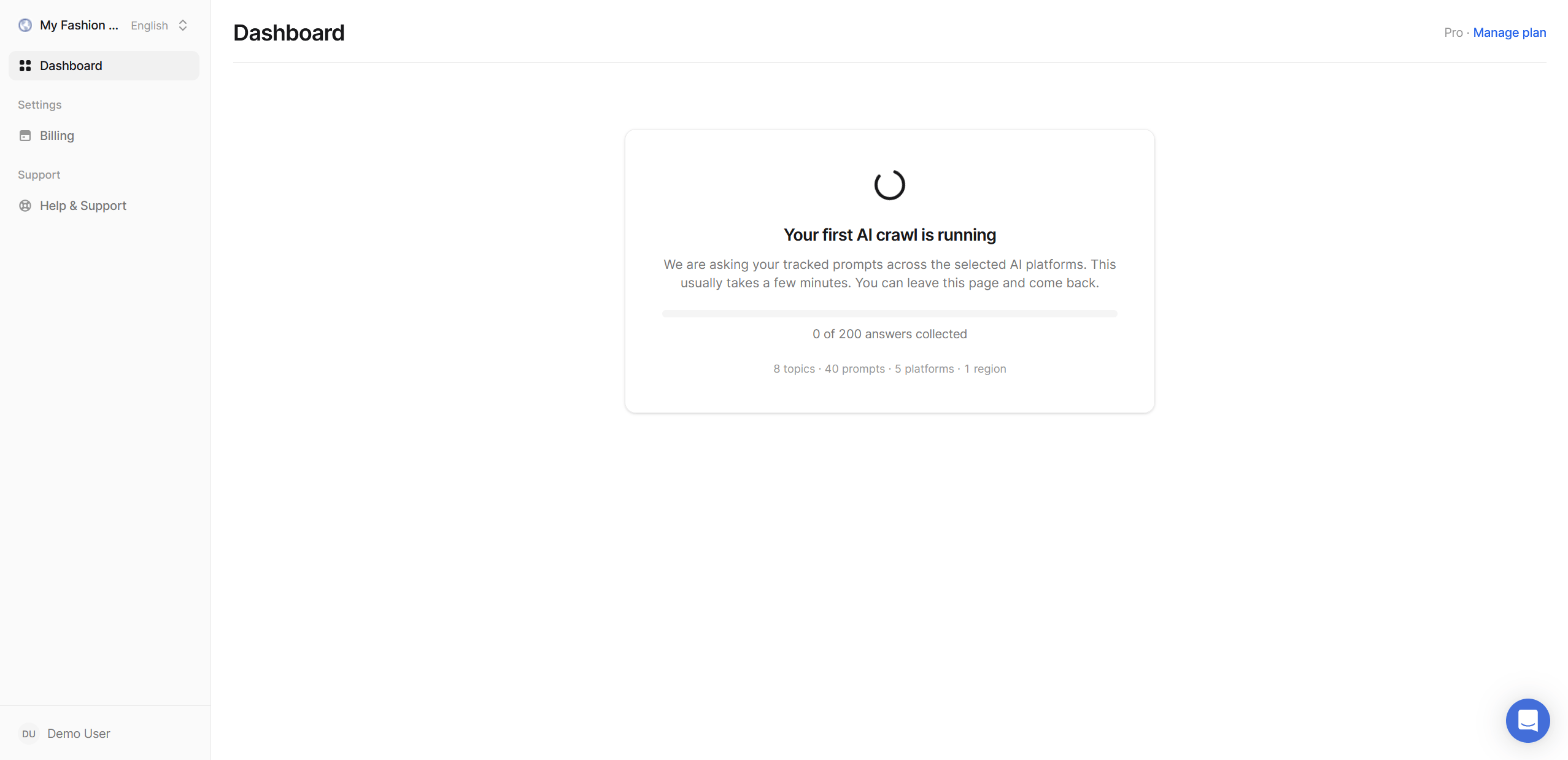
What to do next
Understand the numbers
Learn what Visibility, Share of Voice, Position and Sentiment tell you.
Read your dashboard
A tour of every widget on the dashboard.
Refine your prompts
Better prompts mean more reliable numbers.
Invite your team
Everyone in your organization sees every project.