

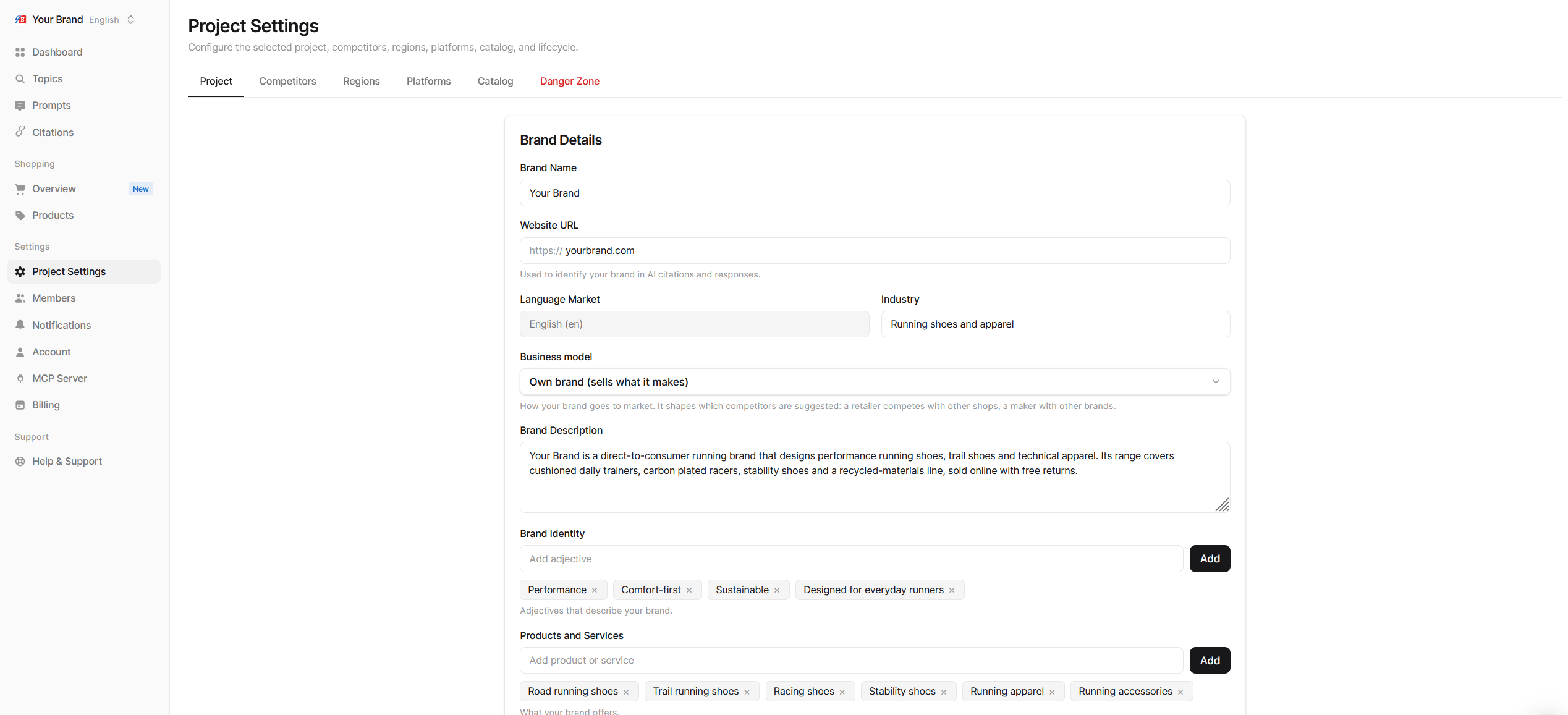
Brand details
Change any field and click save. If you leave the tab with unsaved changes, Echod asks before discarding them.
Why the profile matters
- Detection: Echod counts a mention only when an answer names your brand. If AI platforms usually refer to you by a shorter or different name, set Brand Name to that version.
- Source matching: Citation Rate and the You label on the Citations page rely on your website URL. If your content lives on a different domain, those pages are not counted as yours.
- Suggestions: AI Suggest for topics, prompts and competitors draws on your description, industry, identity and products. A precise profile produces sharper suggestions.
Choosing the language market
Each project tracks one language. Pick the language your buyers use when they ask AI assistants, which is not always the language of your website. To track another language, create a separate project for it. See Projects.Crawl schedule and project status
The same tab shows two more cards:- Crawl Schedule: how often the project is crawled. Every current plan crawls daily.
- Project Status: Pause Project stops all crawls for the project while keeping its data. Resume Project starts them again. See Projects.