

Crawl status
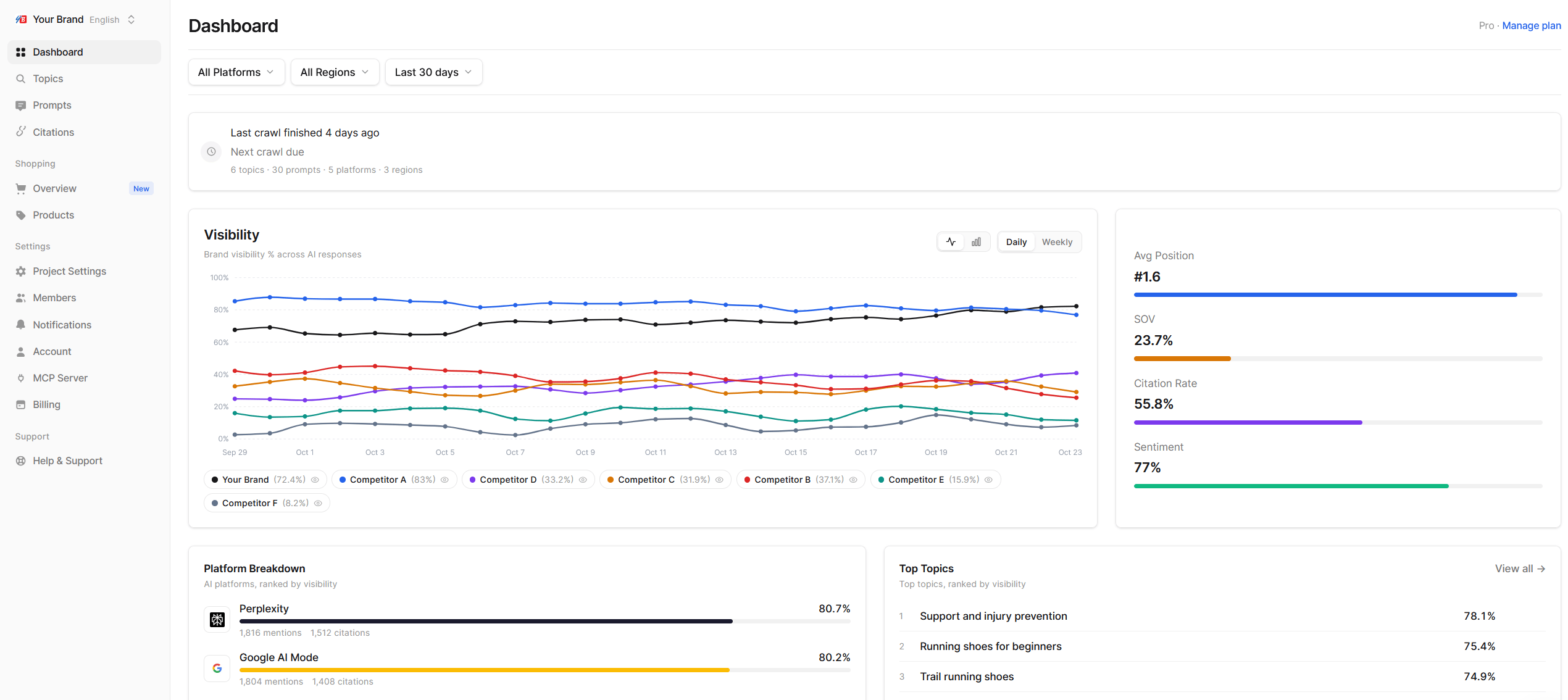
The card at the top tells you how fresh the data is: when the last crawl finished and when the next one is due. While a crawl is running, figures update when it finishes. See Crawls and data freshness.Visibility
A chart of Visibility over the selected period for your brand and up to six tracked competitors.- Switch between Line and Bar, and between Daily and Weekly points.
- Click a brand in the legend to hide or show its series. This is useful when one brand’s line crowds out the others.
Score breakdown
Your brand’s headline metrics for the period, each with its change against the previous period:- Avg Position: Average Position. A lower number is better, so a drop shows as an improvement.
- SOV: Share of Voice
- Citation Rate: Citation Rate
- Sentiment: Sentiment, on a 0-100 scale where 50 is neutral
Platform Breakdown
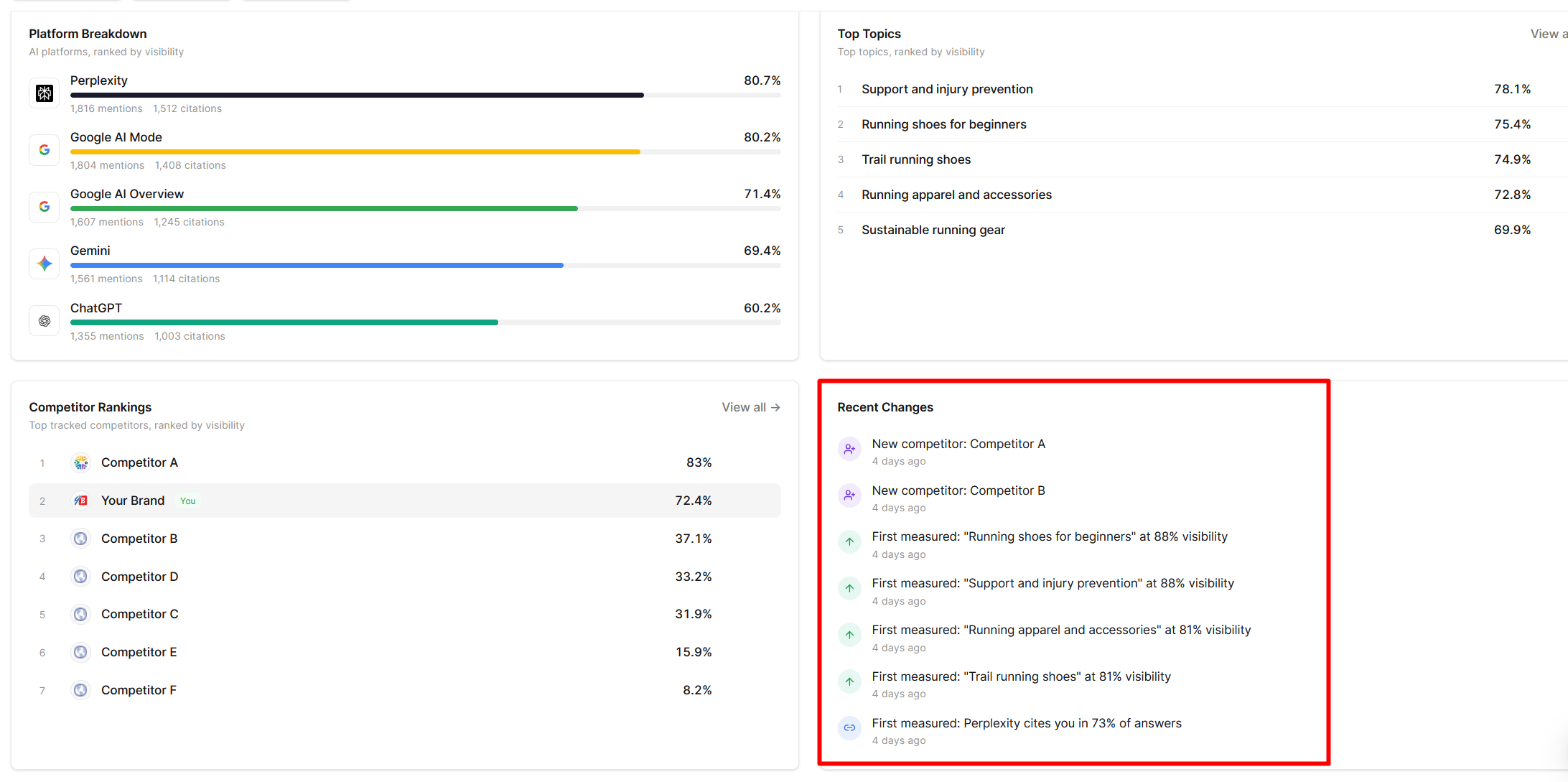
Your Visibility on each AI platform, ranked from highest to lowest, with the number of mentions and citations behind it. Use it to see where you are strong and where you barely appear.Top Topics
Your five most visible topics. Click View all to open the full Topics list.Competitor Rankings
Your tracked competitors ranked by Visibility, with your own brand marked You. Click a brand to see its domain on the Citations page. View all opens the competitor settings.Recent Changes
A feed of notable movements in the selected period. Echod adds an entry when, for example:- A topic’s Visibility rises or drops by at least 3 points
- A topic is measured for the first time
- A new competitor starts appearing in answers
- A competitor closes the gap on you
- Citations of your website on a platform rise
A five-minute weekly check
- Set the period to Last 7 days and read Recent Changes.
- Glance at the Score breakdown changes. Anything moving by more than a few points deserves a look.
- In Platform Breakdown, check whether one platform explains the movement. Filter to that platform.
- Open the topic or competitor behind the change and read a few of the chats to see why.