

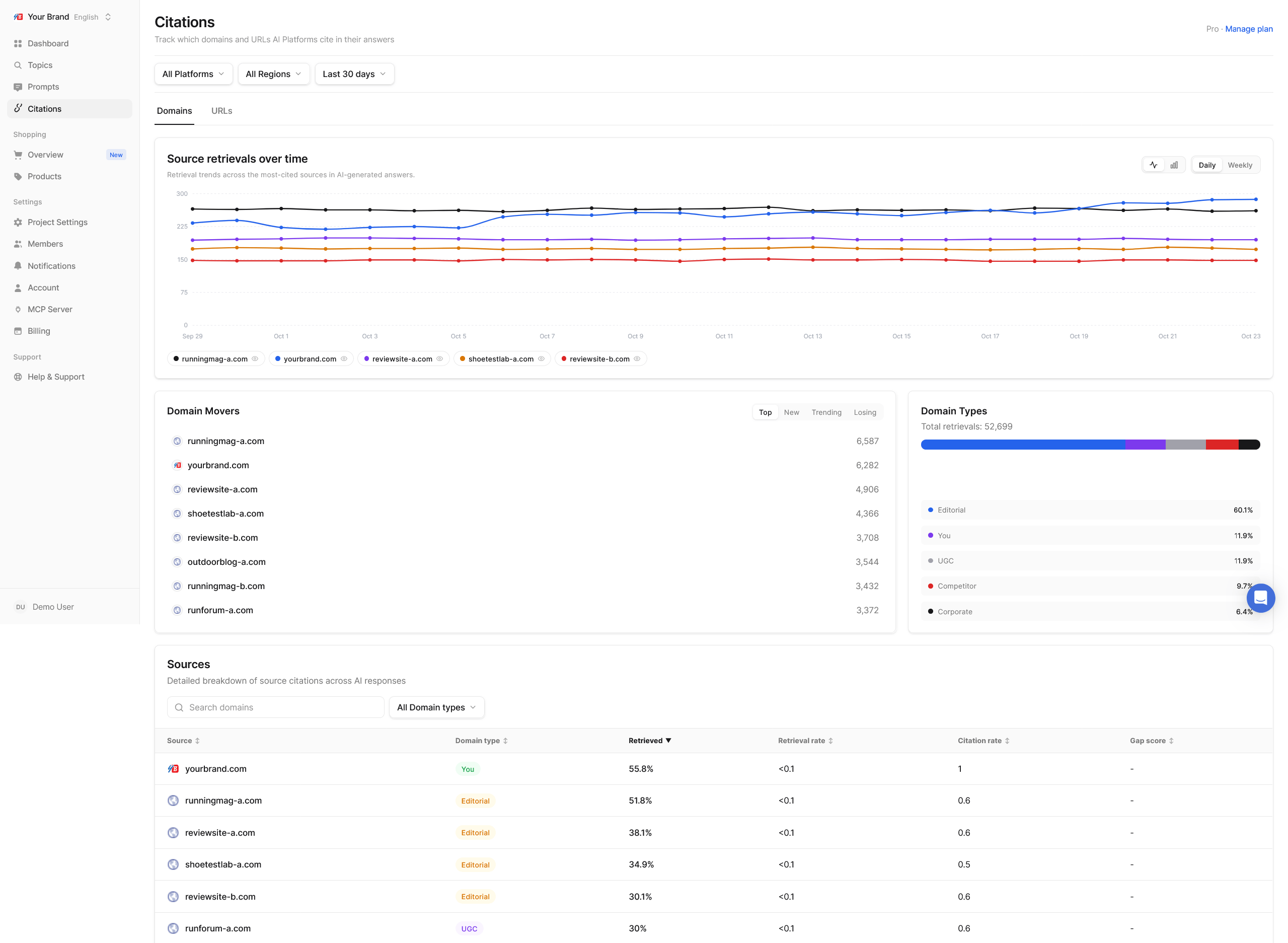
What is on each tab
- Source retrievals over time: how often sources were used across the period.
- Domain Movers / URL Movers: four views of the period’s notable sources:
- Top: used the most
- New: appeared for the first time
- Trending: used increasingly often
- Losing: used less and less
- Domain Types / URL Types: how the sources split by type (see below).
- Sources: the full table, sortable by any column.
Domains table
URLs table
All of these are explained with formulas in Source metrics.
Domain types
URL types
Homepage, Category Page, Product Page, Article, Listicle (a ranked or “top 10” list), How-To Guide, Comparison, Alternative (pages listing alternatives to a product), Discussion (threads and comments), Profile (a company or person profile) and Other. URL types tell you what kind of content AI platforms prefer for your prompts, which is a strong hint about what to create.Domain and URL detail pages
Click any domain or URL to open its detail page. Domain detail shows:- Retrievals over time
- Top Topics: the topics this domain is used for, with citations, platforms and trend
- Platform Breakdown: which AI platforms use it most
- URLs: its individual pages, with citations, share, platforms, topics and trend
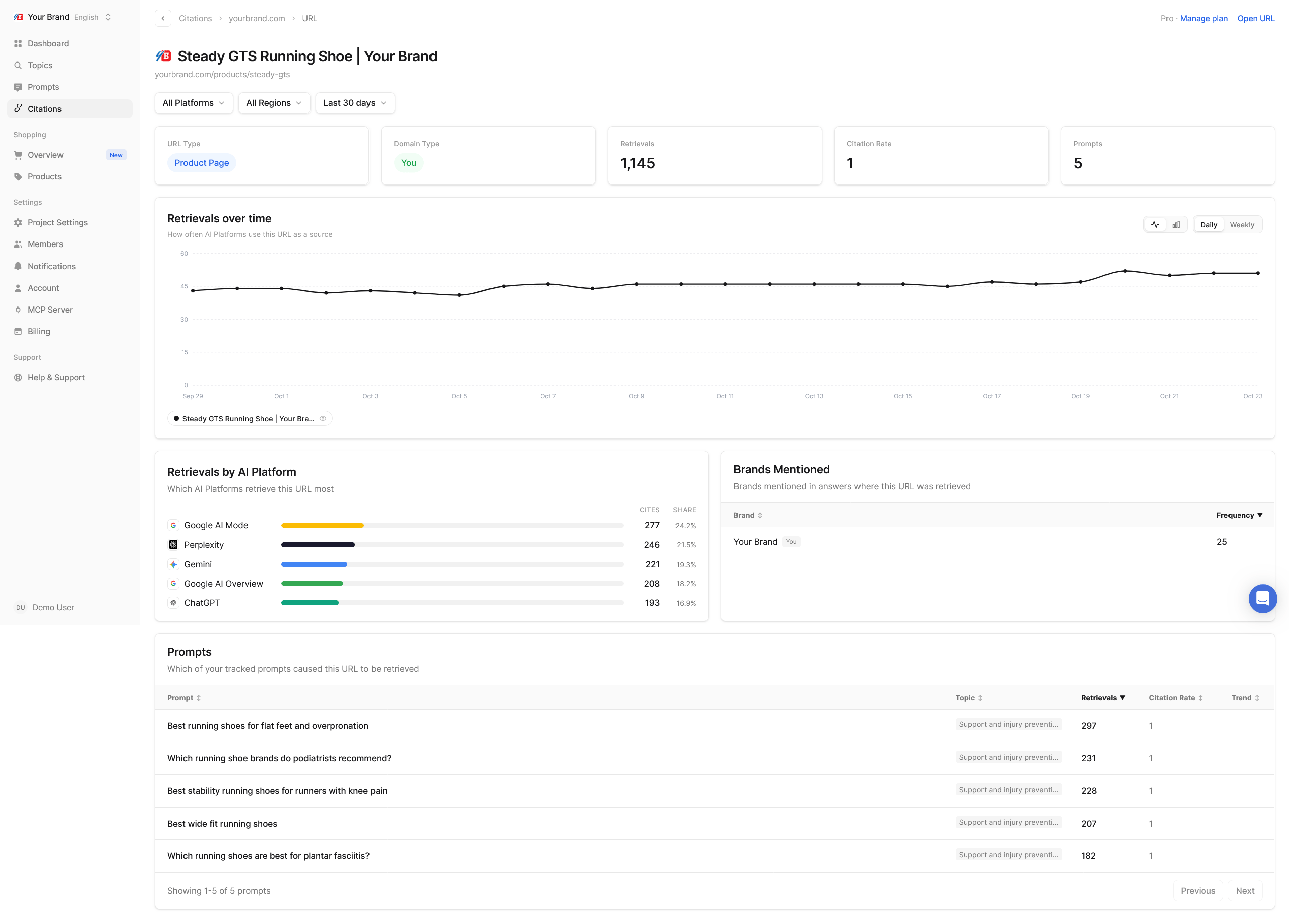
- The page’s URL type, domain type, retrievals, citation rate and the number of prompts it is used for, with an Open URL link
- Retrievals over time and per AI platform
- Brands Mentioned: which brands appear in answers that used this page, and how often
- Prompts: the prompts it is used for
Put it to work
1
Check your own site
Find your own domain (type You) in the Domains table and open it. Which topics use it? Which pages? Topics where your site is never used are where to add or improve content.
2
Find the gaps
Sort by Gap score and look past competitors’ own sites. Review sites, publications, directories and communities with high gap scores are where competitors get attention and you do not.
3
Pick an approach per type
- Editorial: pitch stories, offer data or expert quotes, request inclusion in round-ups.
- UGC: take part genuinely in the communities where your category is discussed.
- Corporate and directories: partnerships, integrations and listings.
- Reference: make sure facts about your company are accurate and up to date.
- Listicle and Comparison URLs: ask to be included, or publish an honest comparison of your own.
4
Watch the movers
Check New and Trending regularly. A source that suddenly gets used a lot is shaping answers right now.