

Where the data comes from
Shopping uses the same prompts and crawls as the rest of Echod; there is nothing extra to set up. Whenever an answer to one of your prompts includes product cards, Echod records every product shown, its position in the carousel, its price, its brand and the merchants offering it. Prompts with buying intent (Commercial or Transactional, such as “best running shoes for flat feet under 150 dollars”) produce product cards most often. If none of your prompts have produced product results yet, the Overview says so. Adding a few buying-intent prompts is the way to change that. See Prompts.The Overview page
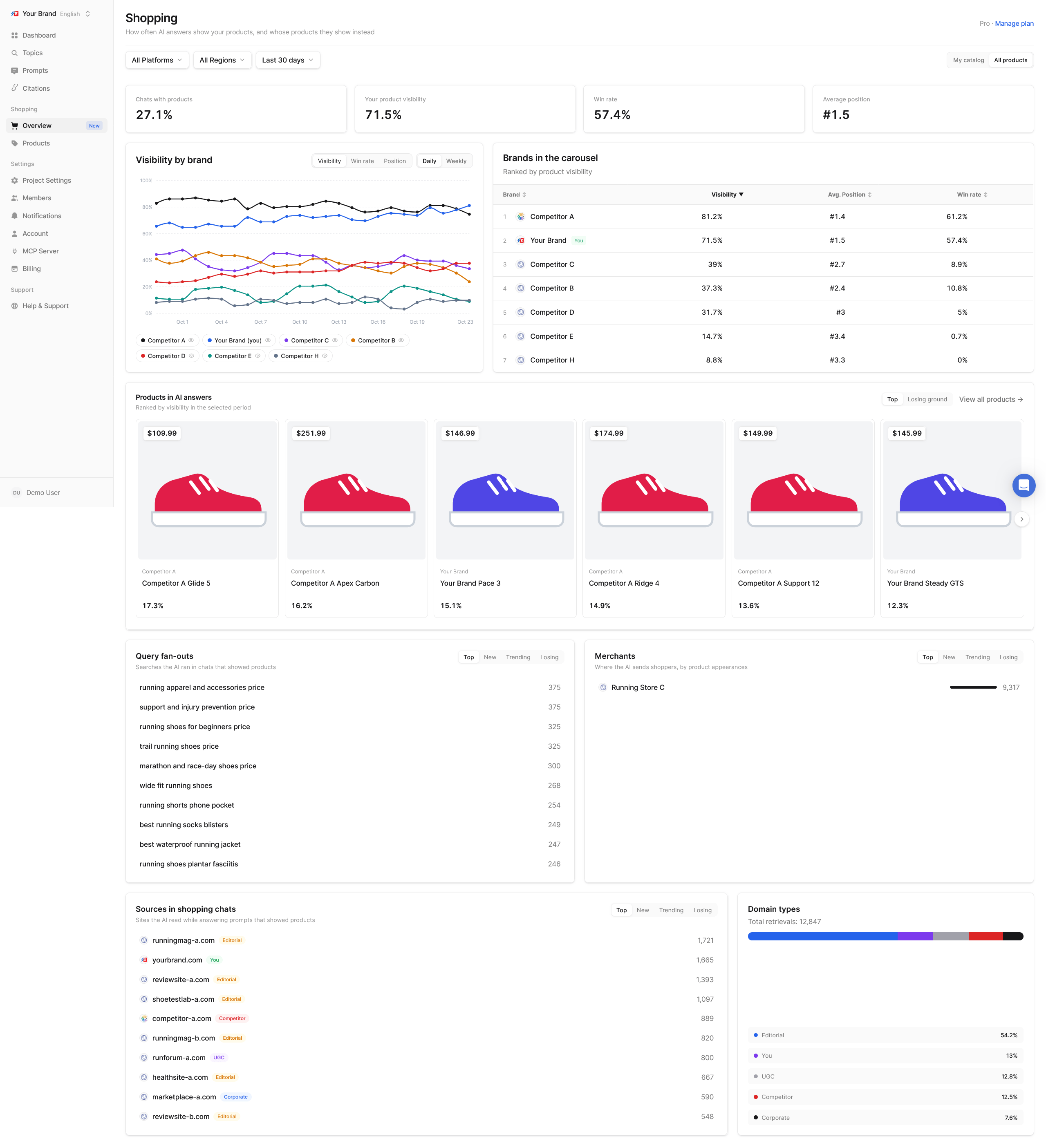
Summary tiles
The formulas are on Shopping metrics.
Brand chart and Brands in the carousel
A chart of your brand against the other brands in the carousels over time. Switch it between Visibility, Win rate and Position. The Brands in the carousel table ranks brands by product visibility.Your products in AI answers
A leaderboard of your products with three tabs:- Top: your products shown most often
- Losing ground: products shown less than in the previous period
- Never shown: catalog products that no answer has shown yet. This tab only appears with the My catalog filter.
Insight panels
- Query fan-outs: the searches the AI ran in chats that showed products. They reveal how the platform translates a buyer’s question into product searches.
- Merchants: where the AI sends shoppers, by number of product appearances. If your own store is missing while marketplaces dominate, that is worth knowing.
- Sources in shopping chats: the sites the AI read while answering prompts that showed products, with a Domain types breakdown.
The Products filter
Shopping pages add a Products filter next to Platform, Region and Period:- All products: every product the answers showed.
- My catalog: only products from your imported catalog. Available once you have a catalog.
Put it to work
- Check Never shown first. These are products that exist in your catalog but that no AI answer displays. Compare their pages and listings with the products that do appear.
- Watch the merchants. AI platforms choose where to send shoppers. Make sure your products are listed, with consistent names and prices, at the merchants that appear most.
- Read the fan-outs. The searches the AI runs often include attributes (“waterproof”, “under 100”, “for wide feet”). Products whose pages state those attributes plainly have a better chance of matching.